> ## Documentation Index
> Fetch the complete documentation index at: https://docs.camel-ai.org/llms.txt
> Use this file to discover all available pages before exploring further.
# CAMEL Agent as an MCP Server
> Turn your CAMEL ChatAgent into an MCP server—let any client (Claude, Cursor, custom apps) connect and use your agent as a universal AI backend.
Publishing your ChatAgent as an MCP server turns your agent into a universal AI backend.
Any MCP-compatible client (Claude, Cursor, editors, or your own app) can connect, chat, and run tools through your agent as if it were a native API—no custom integration required.
## Quick Start
Scripted Server:
Launch your agent as an MCP server with the ready-made scripts in services/.
Configure your MCP client (Claude, Cursor, etc.) to connect:
```json mcp_servers_config.json Example highlight={5} theme={"system"}
{
"camel-chat-agent": {
"command": "/path/to/python",
"args": [
"/path/to/camel/services/agent_mcp_server.py"
],
"env": {
"OPENAI_API_KEY": "...",
"OPENROUTER_API_KEY": "...",
"BRAVE_API_KEY": "..."
}
}
}
```
Tip: Just point your MCP client at this config, and it will auto-discover and call your agent!
Turn any ChatAgent into an MCP server instantly with to\_mcp():
```python agent_mcp_server.py lines icon="python" theme={"system"}
from camel.agents import ChatAgent
# Create a chat agent with your model
agent = ChatAgent(model="gpt-4o-mini")
# Convert to an MCP server
mcp_server = agent.to_mcp(
name="demo", description="A demonstration of ChatAgent to MCP conversion"
)
if __name__ == "__main__":
print("Starting MCP server on http://localhost:8000")
mcp_server.run(transport="streamable-http")
```
Supported transports: stdio, sse, streamable-http
* **Plug-and-play with any MCP client**: Claude, Cursor, editors, automations—just connect and go.
* **Universal API**: Your agent becomes an “AI API” for any tool that speaks MCP.
* **Security & Flexibility**: Keep control over keys, environments, and agent configs.
## Real-world Example
You can use Claude, Cursor, or any other app to call your custom agent!
Just connect to your CAMEL MCP server
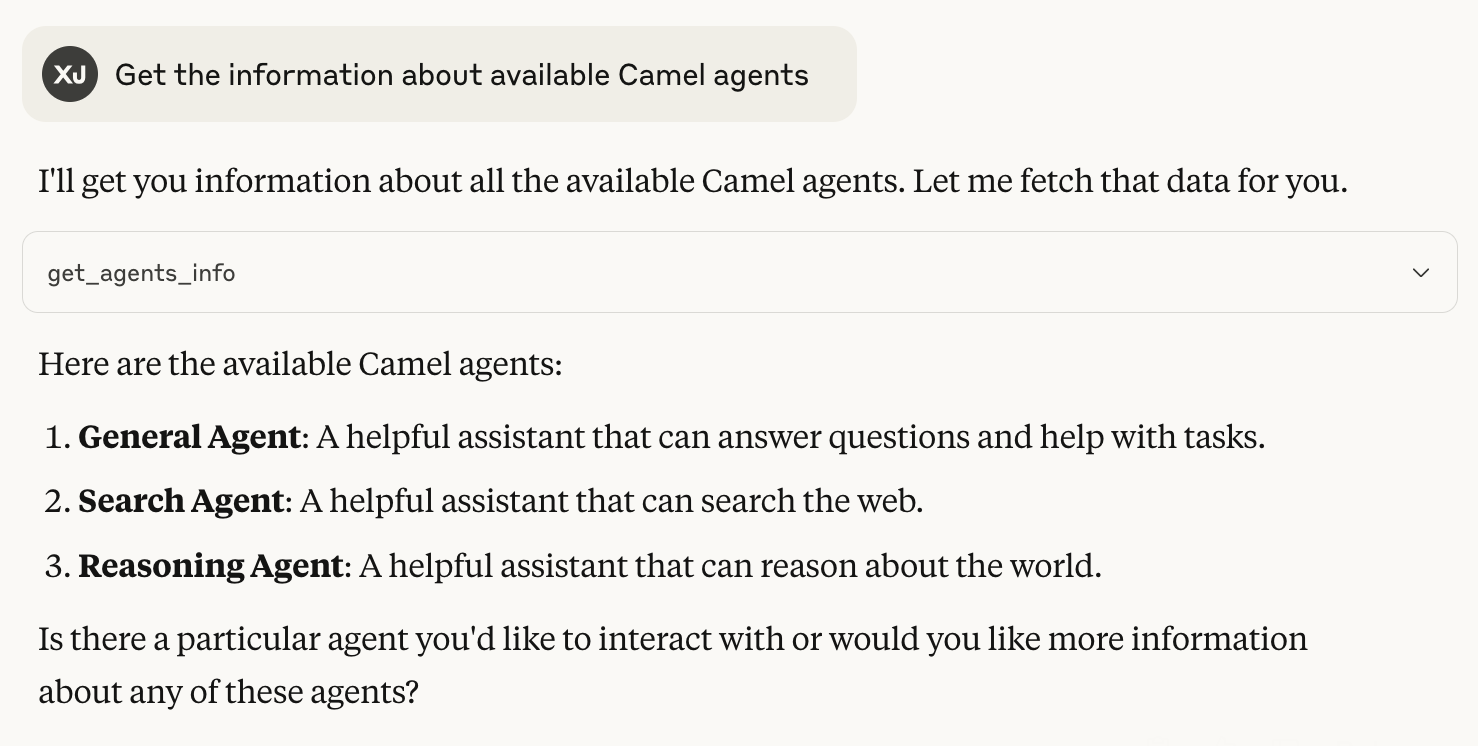
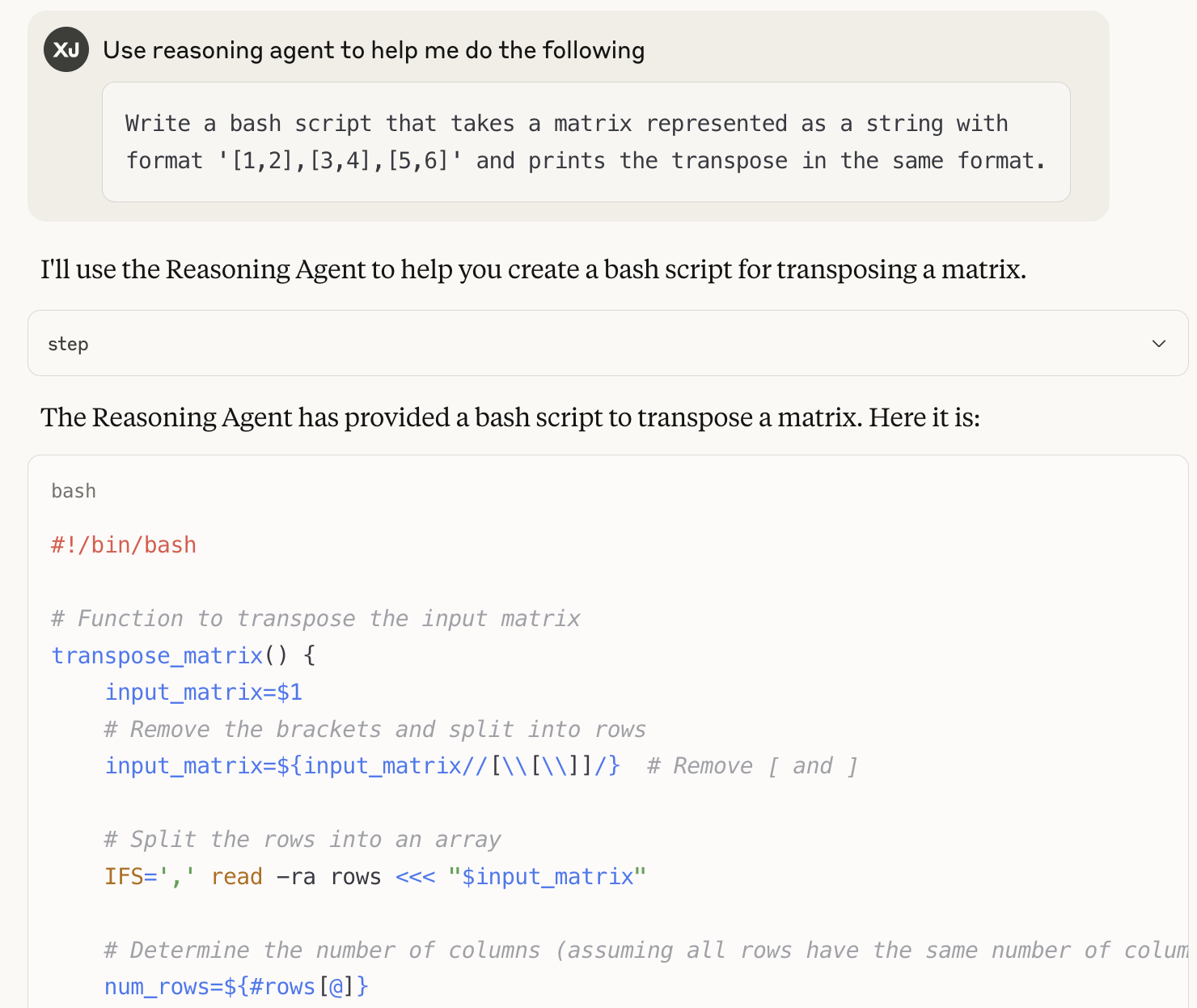 You can expose any number of custom tools, multi-agent workflows, or domain knowledge, right from your own laptop or server!
***
## Why make your ChatAgent an MCP server?
* **Universal Access:** Any client, any platform, anytime.
* **Multi-Agent Workflows:** Power agent societies by letting agents call each other.
* **Local Control:** Expose only the tools and data you want, with full security.
* **No Glue Code:** MCP handles discovery and invocation, no custom REST or RPC needed.
***
Want to create your own tools and toolkits?
See Toolkits Reference for everything you can expose to the MCP ecosystem!
You can expose any number of custom tools, multi-agent workflows, or domain knowledge, right from your own laptop or server!
***
## Why make your ChatAgent an MCP server?
* **Universal Access:** Any client, any platform, anytime.
* **Multi-Agent Workflows:** Power agent societies by letting agents call each other.
* **Local Control:** Expose only the tools and data you want, with full security.
* **No Glue Code:** MCP handles discovery and invocation, no custom REST or RPC needed.
***
Want to create your own tools and toolkits?
See Toolkits Reference for everything you can expose to the MCP ecosystem!