

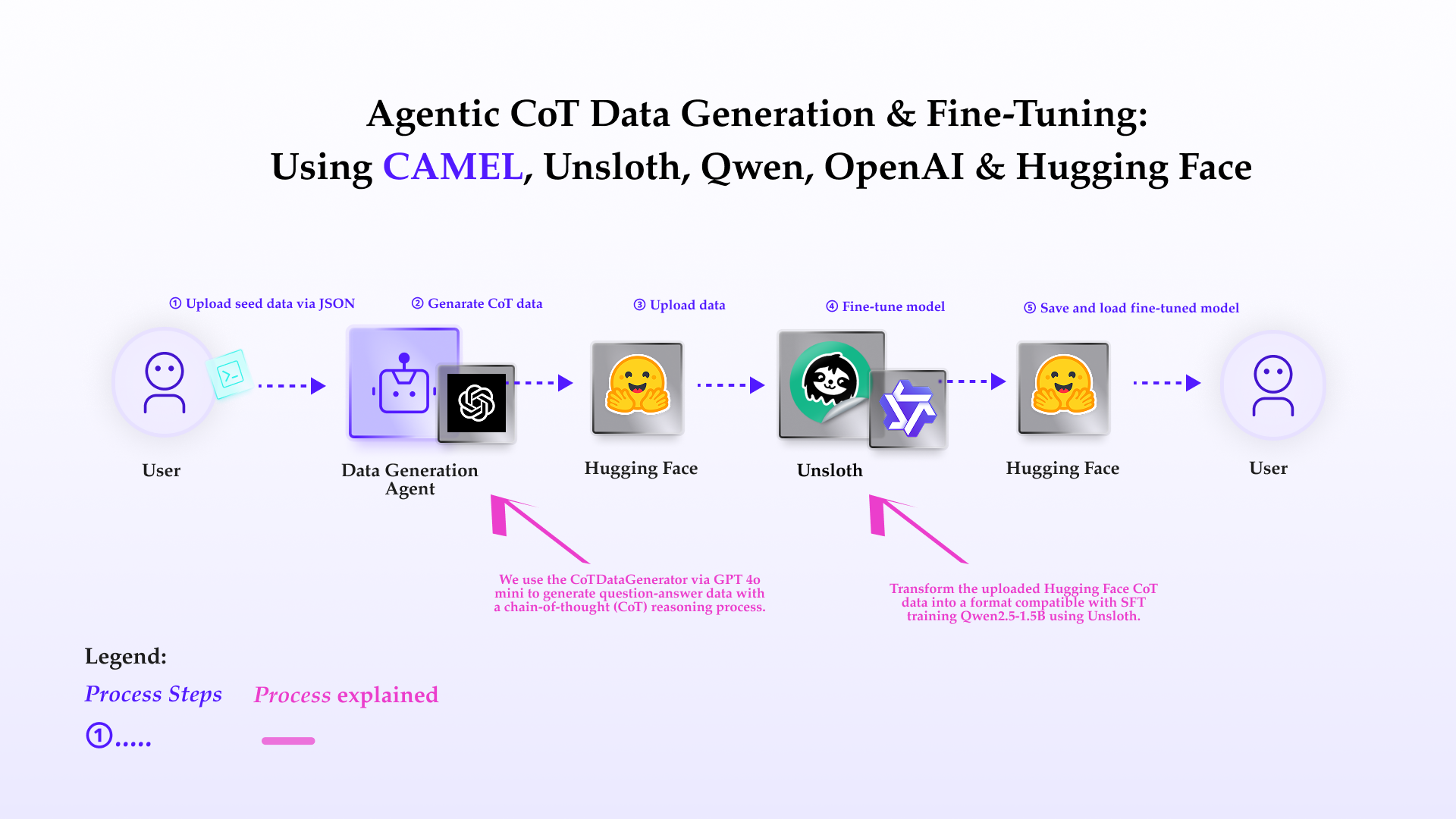
This notebook demonstrates how to set up and leverage CAMEL’s CoTDataGenerator for generating high-quality question-answer pairs like o1 thinking data, fine-tuning a language model using Unsloth, and uploading the results to Hugging Face. In this notebook, you’ll explore:
- CAMEL: A powerful multi-agent framework that enables SFT data generation and multi-agent role-playing scenarios, allowing for sophisticated AI-driven tasks.
- CoTDataGenerator: A tool for generating like o1 thinking data.
- Unsloth: An efficient library for fine-tuning large language models with LoRA (Low-Rank Adaptation) and other optimization techniques.
- Hugging Face Integration: Uploading datasets and fine-tuned models to the Hugging Face platform for sharing.
📦 Installation
🔑 Setting Up API Keys
First we will set the OPENAI_API_KEY that will be used to generate the data.Set ChatAgent
Create a system message to define agent’s default role and behaviors.Load Q&A data from a JSON file
please prepare the qa data like below in json file:
Create an instance of CoTDataGenerator
Test Q&A
The script iterates through the questions, generates answers, and verifies their correctness. The generated answers are stored in a dictionaryExport the generated answers to a JSON file and transform these to Alpaca traing data format
Upload the Data to Huggingface
This defines a function upload_to_huggingface that uploads a dataset to Hugging Face. The script is modular, with helper functions handling specific tasks such as dataset name generation, dataset creation, metadata card creation, and record additionConfig Access Token of Huggingface
You can go to here to get API Key from Huggingface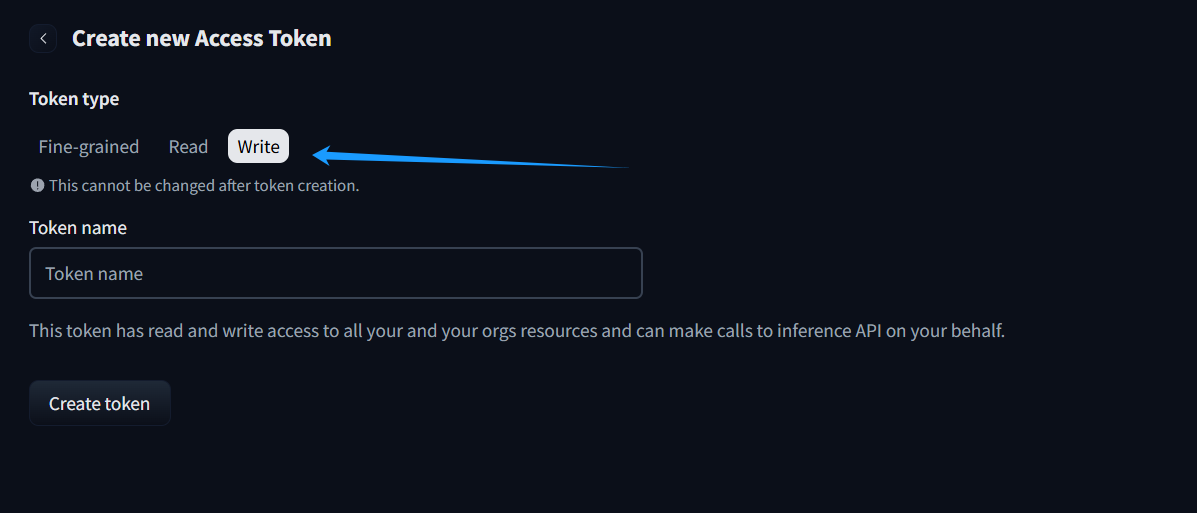
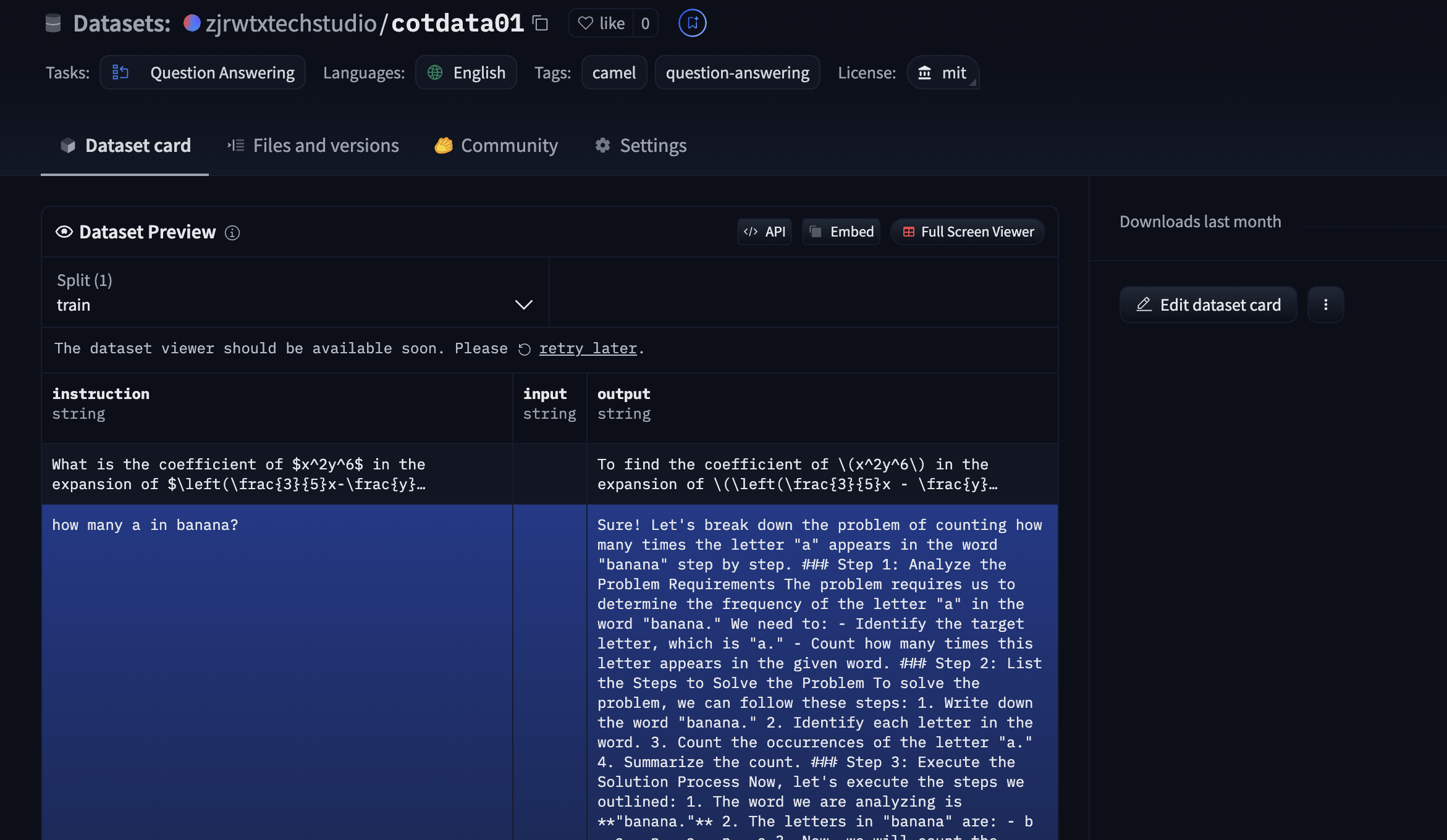
final example preview
Configure the Unsloth environment
choose the base model
We now add LoRA adapters so we only need to update 1 to 10% of all parameters!
Convert CoT data into an SFT-compliant training data format
Train the model
Now let’s use Huggingface TRL’sSFTTrainer! More docs here: TRL SFT docs. We do 60 steps to speed things up, but you can set num_train_epochs=1 for a full run, and turn off max_steps=None. We also support TRL’s DPOTrainer!
Start model training
Inference
Let’s run the model! You can change the instruction and input - leave the output blank!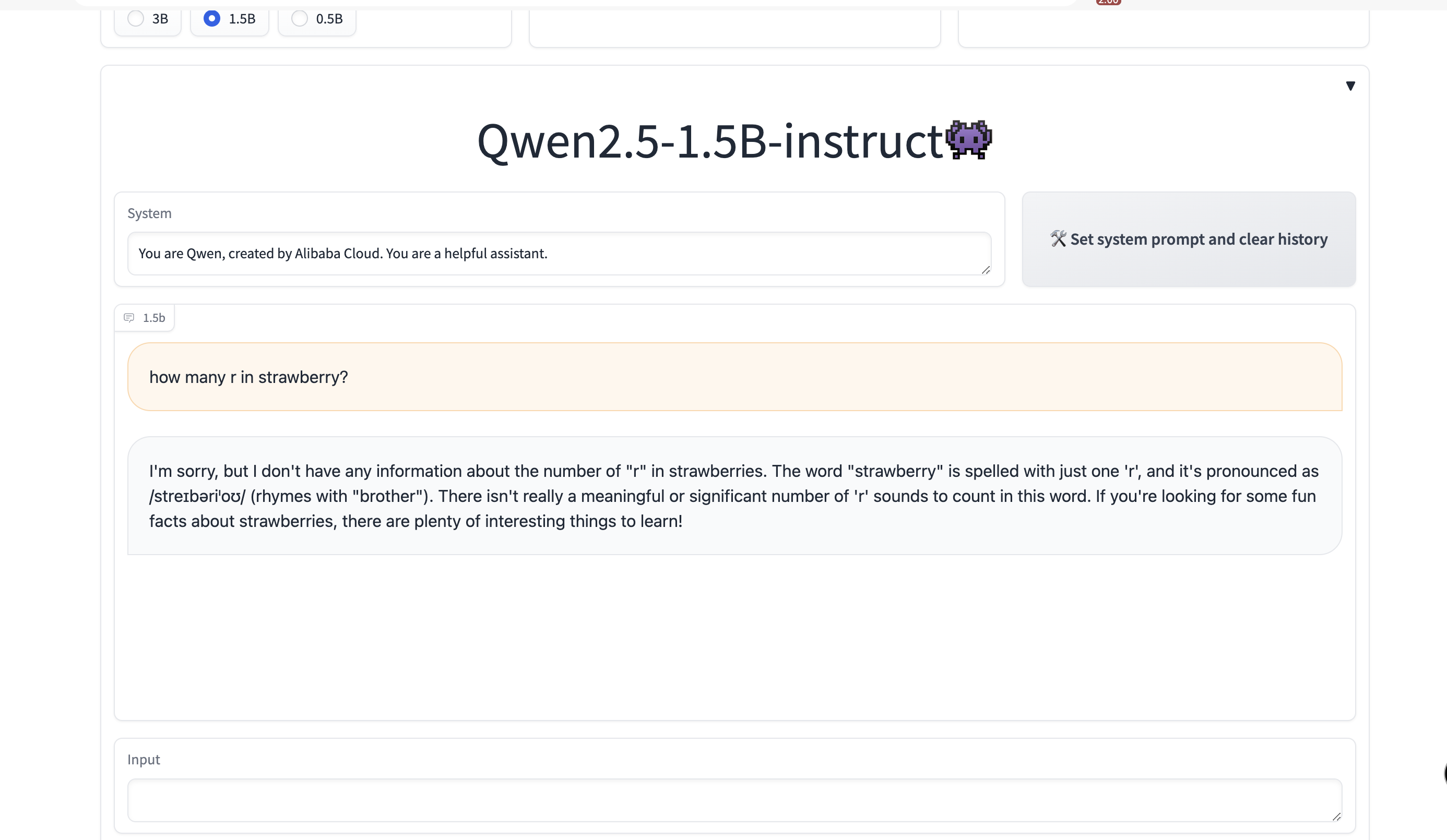
Saving, loading finetuned models
To save the final model as LoRA adapters, either use Huggingface’spush_to_hub for an online save or save_pretrained for a local save.
[NOTE] This ONLY saves the LoRA adapters, and not the full model.
False to True:
🌟 Highlights
Through this notebook demonstration, we showcased how to use the CoTDataGenerator from the CAMEL framework to generate high-quality question-answer data and efficiently fine-tune language models using the Unsloth library. The entire process covers the end-to-end workflow from data generation, model fine-tuning, to model deployment, demonstrating how to leverage modern AI tools and platforms to build and optimize question-answering systems.Key Takeaways:
Data Generation: Using CoTDataGenerator from CAMEL, we were able to generate high-quality question-answer data similar to o1 thinking. This data can be used for training and evaluating question-answering systems. Model Fine-Tuning: With the Unsloth library, we were able to fine-tune large language models with minimal computational resources. By leveraging LoRA (Low-Rank Adaptation) technology, we only needed to update a small portion of the model parameters, significantly reducing the resources required for training. Data and Model Upload: We uploaded the generated data and fine-tuned models to the Hugging Face platform for easy sharing and deployment. Hugging Face provides powerful dataset management and model hosting capabilities, making the entire process more efficient and convenient. Inference and Deployment: After fine-tuning the model, we used it for inference to generate high-quality answers. By saving and loading LoRA adapters, we can easily deploy and use the fine-tuned model in different environments. That’s everything: Got questions about 🐫 CAMEL-AI? Join us on Discord! Whether you want to share feedback, explore the latest in multi-agent systems, get support, or connect with others on exciting projects, we’d love to have you in the community! 🤝 Check out some of our other work:- 🐫 Creating Your First CAMEL Agent free Colab
- Graph RAG Cookbook free Colab
- 🧑⚖️ Create A Hackathon Judge Committee with Workforce free Colab
- 🔥 3 ways to ingest data from websites with Firecrawl & CAMEL free Colab
- 🦥 Agentic SFT Data Generation with CAMEL and Mistral Models, Fine-Tuned with Unsloth free Colab